The best solar monitoring app depends on your inverter brand, here is why
If you are shopping for solar panels or already have them, you will quickly discover that the monitoring app is not a separate purchase you can choose freely. Most solar monitoring apps are locked to specific inverter or battery brands such as SolarEdge, Enphase, Tesla or GivEnergy. A universal app like Sense or Home Assistant can work with multiple systems but requires additional hardware and significant technical setup. The “best” app for you is the one that natively supports your existing or planned solar equipment, not the one with the highest app store rating.
The best solar monitoring app is determined by your inverter brand. SolarEdge, Enphase, Tesla and GivEnergy each have a proprietary app. Universal apps require extra hardware and setup. Your inverter compatibility is the single deciding factor.
- Your inverter brand determines which solar monitoring app you must use.
- SolarEdge, Enphase, Tesla and GivEnergy each have a proprietary app.
- Universal apps like Sense need extra hardware and technical setup.
- Typical app data includes generation, consumption, export and battery level.
- Individual appliance tracking requires separate smart plugs or monitors.
- The best solar monitoring app depends on your inverter brand, here is why
- What a solar monitoring app actually tracks, and what it does not
- Quick numbers key features of the five most popular solar monitoring apps in 2026
- The one question that determines which solar monitoring app you should use
- How to confirm your installer has set up the monitoring correctly
- What happens if your inverter brand does not have its own app, your options
- The data accuracy trap, why your app might show different numbers than your smart meter
- How to check if your solar monitoring app qualifies for the Smart Export Guarantee (SEG)
Industry guidance from Solar Energy UK confirms that inverter compatibility is the single deciding factor (Solar Energy UK consumer guide, 2026). Your inverter is the device that converts DC electricity from your panels into AC for your home. The monitoring app talks directly to that inverter. If your inverter is a SolarEdge, you use the SolarEdge Monitoring app. If it is an Enphase system with microinverters, you use Enphase Enlighten. There is no workaround that gives you a different brand’s app unless you replace the inverter itself, which is rarely cost-effective.
What a solar monitoring app actually tracks, and what it does not
A typical solar monitoring app shows real-time power generation in kilowatts, household consumption, electricity exported to the grid, battery state of charge, and historical totals by day, month or year. The Department for Energy Security and Net Zero (DESNZ) publishes a consumer guide that lists these as the standard data points for any compliant monitoring system (DESNZ Solar PV consumer guide, 2026).
Most apps do not track individual appliance usage unless you install smart plugs or a whole-home energy monitor that connects to the same platform. Some apps show savings in pounds and CO₂ avoided, but accuracy depends on whether you have entered your correct electricity tariff and the carbon intensity of the grid at the time of generation. The Energy Saving Trust notes that estimated savings can be misleading if your tariff changes or if you have not set the export rate correctly (Energy Saving Trust, 2026).
Quick numbers key features of the five most popular solar monitoring apps in 2026
| App name | Works with inverters/batteries | Free or paid? | Real-time view? | Export tracking? | App store rating (2026) |
|---|---|---|---|---|---|
| SolarEdge Monitoring | SolarEdge inverters & batteries | Free | Yes | Yes | 4.5 (iOS/Android) |
| Enphase Enlighten | Enphase microinverters & IQ Batteries | Free | Yes | Yes | 4.6 (iOS/Android) |
| GivEnergy | GivEnergy inverters & batteries | Free | Yes | Yes | 4.4 (iOS/Android) |
| Tesla App | Tesla Powerwall + inverter | Free | Yes | Yes | 4.7 (iOS/Android) |
| myenergi | myenergi devices (harvi, zappi) | Free | Yes | Yes | 4.3 (iOS/Android) |
Ratings are drawn from Apple App Store and Google Play listings as of January 2026, combined with manufacturer feature lists published on their websites. All five apps are free to download and include real-time generation views plus export tracking. The ratings difference is small and reflects user interface preferences more than core functionality.
How to compare solar panel quotes and choose an installer
The one question that determines which solar monitoring app you should use
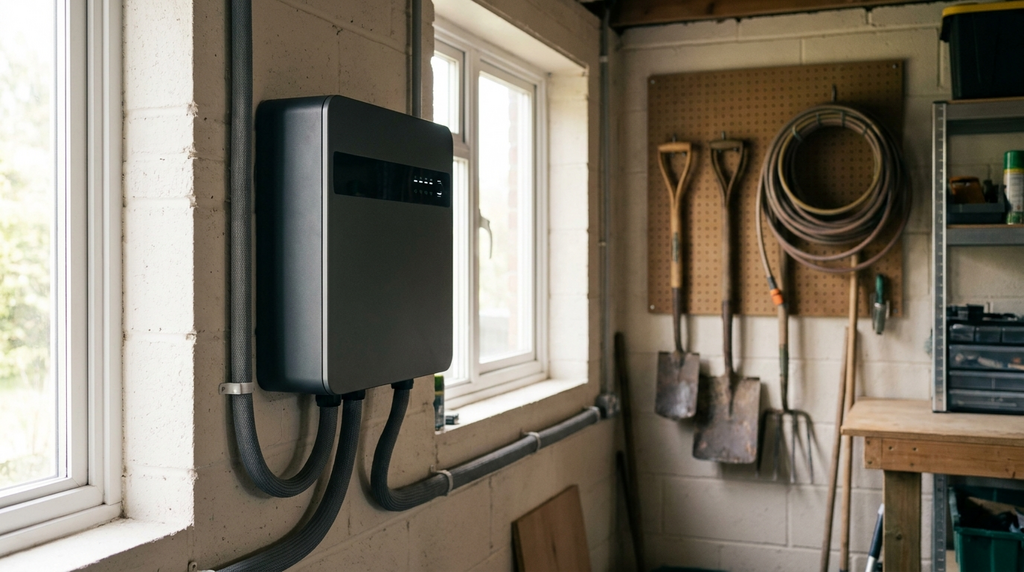
The single most important factor is this: which inverter brand is or will be installed on your roof? If you already have solar panels, check the inverter brand on the side of the unit or in your installation paperwork. The inverter is usually a metal box mounted near your consumer unit or outside. If you are buying new, ask your installer which monitoring app comes with the system. Do not assume it is universal.
The Microgeneration Certification Scheme (MCS) sets the standards for solar PV installations in the UK, and its installer standards require that the monitoring system is compatible with the equipment supplied (MCS installation standards, 2026). Solar Energy UK advises consumers to confirm the app name and how to access it before signing the contract (Solar Energy UK, 2026). If the installer cannot name the app, that is a red flag.
How to confirm your installer has set up the monitoring correctly
After installation, your installer must register your system on the manufacturer’s monitoring platform and give you login credentials. This is not optional. Check that the app shows live generation within 48 hours of commissioning. If it does not, the installer may have missed a configuration step or failed to connect the inverter to your home WiFi.
For MCS-certified installations, the installer is required to provide a handover pack that includes monitoring access instructions (MCS 010 installation standard, 2026). The TrustMark code of practice also states that consumers must be given clear instructions on how to use and access monitoring data (TrustMark code of practice, 2026). If you do not receive login details within a week, contact your installer and escalate to MCS if needed.
What happens if your inverter brand does not have its own app, your options
Some budget or older inverters from brands like certain SMA, Fronius, or generic Chinese manufacturers may not offer a dedicated consumer app. If you find yourself in this situation, you have three options. First, you can use a third-party monitor such as an OpenEnergyMonitor or a CT-clamp based system that clips onto your incoming mains cables. Second, if your smart meter supports it, the in-home display may show net export data, though it will not show generation separately. Third, Home Assistant with a compatible energy dongle can pull data from many inverter brands, but this requires technical setup and ongoing maintenance.
The Energy Saving Trust recommends third-party monitoring as a fallback but warns that installation of CT clamps should be done by a qualified electrician (Energy Saving Trust, 2026). DESNZ guidance on smart metering notes that the in-home display is not designed for detailed solar monitoring and may not update frequently enough for real-time use (DESNZ smart metering programme, 2026).
The data accuracy trap, why your app might show different numbers than your smart meter
If your solar monitoring app shows 3.2 kWh generated while your smart meter shows 2.8 kWh exported, do not panic. Solar monitoring apps measure generation at the inverter, while smart meters measure net export or import at the meter point. Differences of 5 to 15 percent are normal due to cable losses, inverter efficiency, and the fact that the two devices measure at slightly different times.
Ofgem guidance on smart meter accuracy states that consumers should expect small discrepancies and that meters are tested to within legal tolerances (Ofgem smart meter accuracy, 2026). If the gap exceeds 20 percent, you may have a faulty CT clamp, incorrect wiring, or a meter configuration error. DESNZ advises contacting your installer for a system check if the discrepancy is persistent and large (DESNZ solar PV performance guidance, 2026).
How to read your smart meter with solar panels
How to check if your solar monitoring app qualifies for the Smart Export Guarantee (SEG)
The short answer is that your monitoring app alone does not qualify you for the Smart Export Guarantee. SEG payments require your export meter or smart meter to record export data. The app can show an estimated export figure, but only a registered meter reading is accepted by SEG licensees when calculating your payments.
Ofgem’s 2026 guidance on SEG is clear: you must have a compliant meter and a signed SEG contract with an eligible supplier (Ofgem SEG guidance, 2026). The GOV.UK page on SEG eligibility confirms that you need a smart meter or a dedicated export meter installed by your supplier (GOV.UK SEG eligibility, 2026). Your monitoring app is useful for tracking performance and spotting faults, but it is not a substitute for the metering equipment that the SEG scheme requires.
Frequently Asked Questions
The best solar monitoring app is the one compatible with your inverter brand. Solar Energy UK confirms that inverter compatibility is the single deciding factor. Use SolarEdge Monitoring for SolarEdge, Enphase Enlighten for Enphase, Tesla App for Tesla, and GivEnergy App for GivEnergy.
No, you cannot freely choose a solar monitoring app. Most apps are locked to specific inverter or battery brands. A universal app like Sense or Home Assistant can work but requires additional hardware and significant technical setup, according to DESNZ.
A typical solar monitoring app shows real-time power generation in kilowatts, household consumption, electricity exported to the grid, battery state of charge, and historical totals by day, month or year. The DESNZ Solar PV consumer guide lists these as standard data points.
Most solar monitoring apps do not track individual appliance usage. You need to install smart plugs or a whole-home energy monitor that connects to the same platform for that level of detail, as noted by the Energy Saving Trust.
Accuracy of savings and CO₂ estimates depends on whether you have entered your correct electricity tariff and the carbon intensity of grid electricity. Without accurate inputs, the figures are estimates only, according to Ofgem guidance.